Werkflow
The Spatial Assembly Planner
Assembly Workflow Planning software. Define processes in 3D. Generate documentation automatically. Engineering changes don't mean starting over.
Loading 3D model...
The gap between design and production
Product design lives in CAD. Manufacturing execution lives in ERP & MES. Between them: assembly workflow planning - still done in spreadsheets.
The task is spatial. The tools are not.
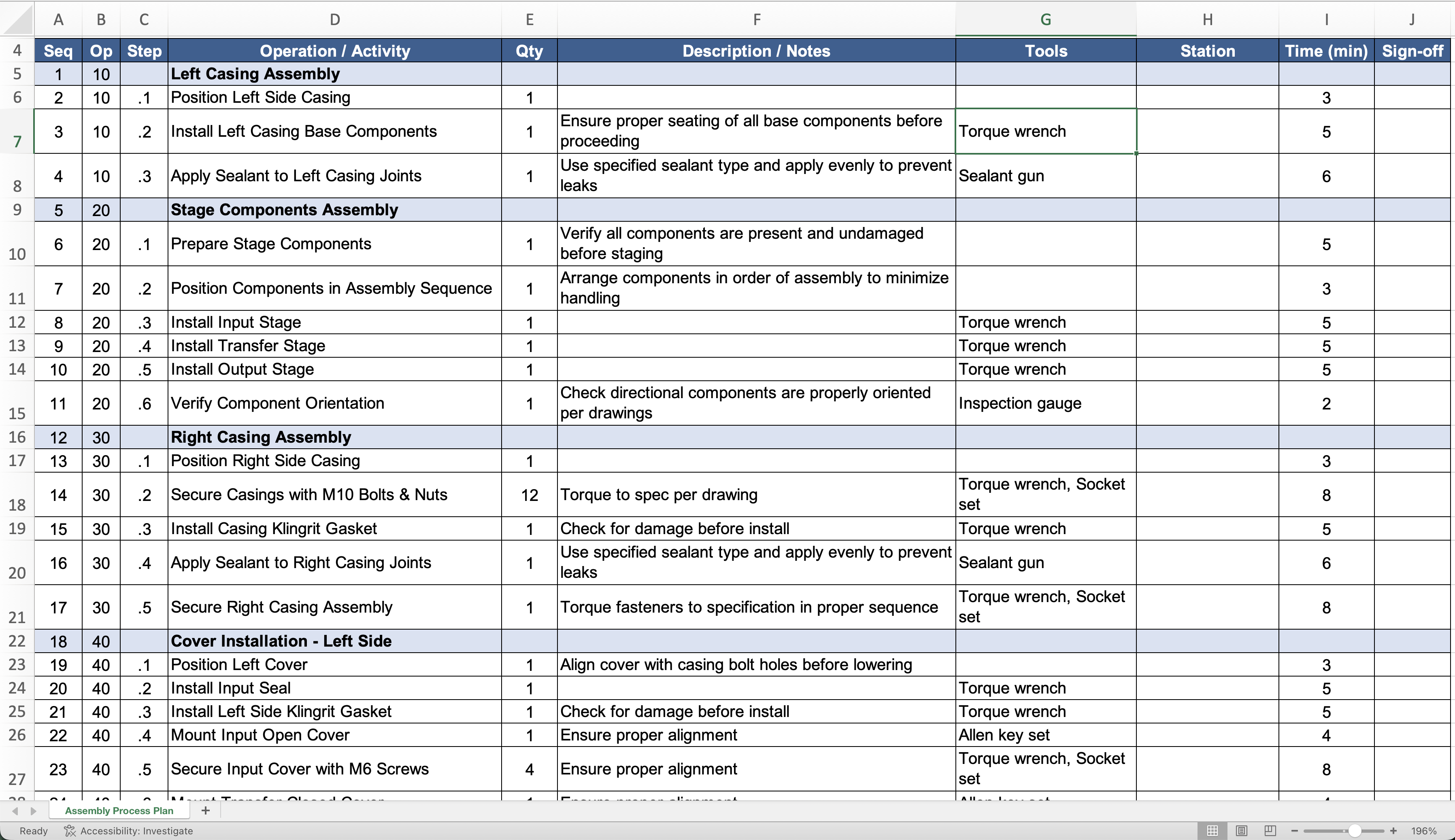
Assembly planners define how three-dimensional products come together. They work from CAD models, but document in Excel. Every process, every sequence, every work instruction requires manual translation from 3D geometry to flat tables.
Engineering changes multiply the effort. Each update means re-translating, re-documenting, re-verifying.
For machining, there's CAM.
For process planning, there's CAPP.
For assembly workflow planning? The category didn't exist.
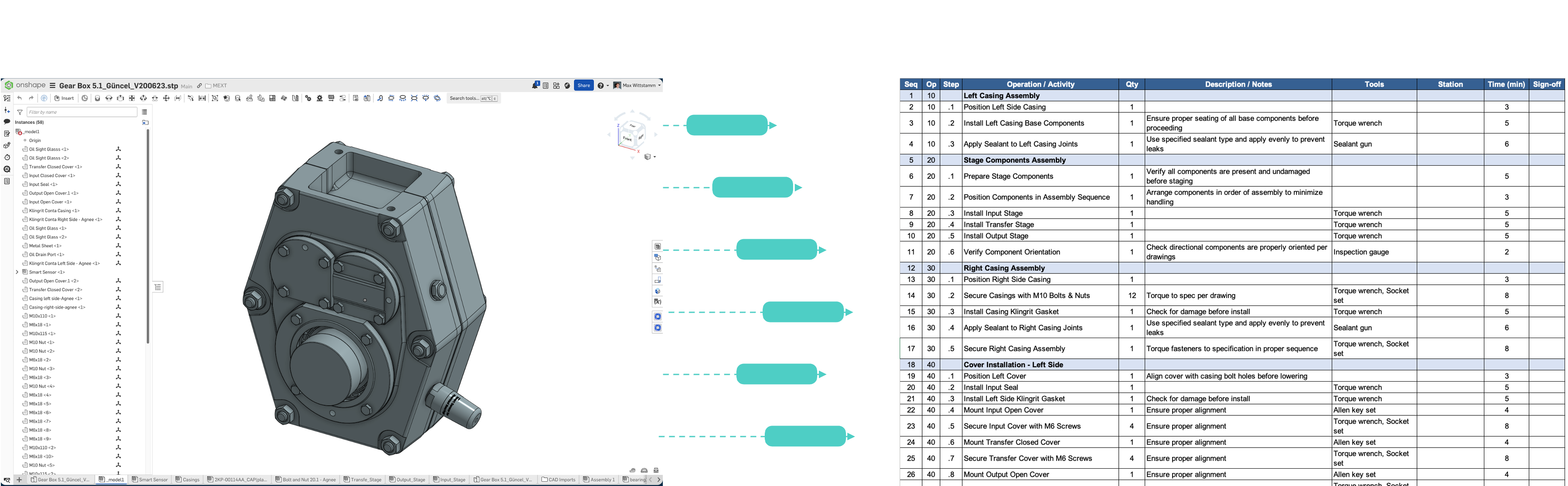
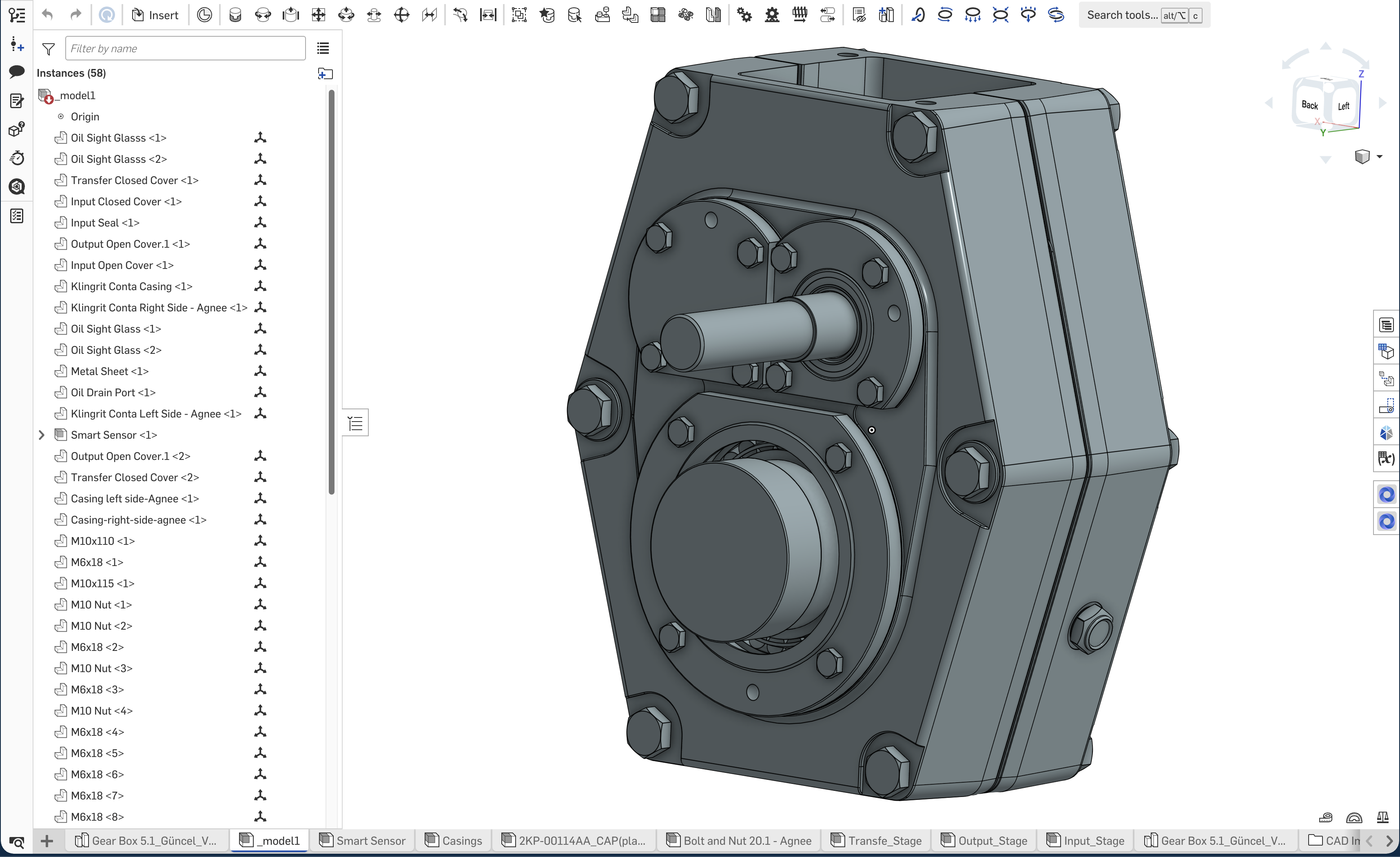
Product Design (CAD)
Production Workflows (Excel)
The gap between design and production
Product design lives in CAD. Manufacturing execution lives in ERP & MES. Between them: assembly workflow planning - still done in spreadsheets.
The task is spatial. The tools are not.
Assembly planners define how three-dimensional products come together. They work from CAD models, but document in Excel. Every process, every sequence, every work instruction requires manual translation from 3D geometry to flat tables.
Engineering changes multiply the effort. Each update means re-translating, re-documenting, re-verifying.
For machining, there's CAM.
For process planning, there's CAPP.
For assembly workflow planning? The category didn't exist.
Assembly planning in 3D. Finally.
Werkflow is Assembly Workflow Planning software - the category that didn't exist.
We put 3D first. You work spatially, connected to CAD geometry, seeing the product as you plan it. Assembly sequences, workstation assignments, process details - all defined in the same dimension your products exist.
Documentation generates automatically. Changes flow through from CAD. The translation from your head to the system disappears because the system finally matches the task.
We didn't improve the spreadsheet. We replaced it.
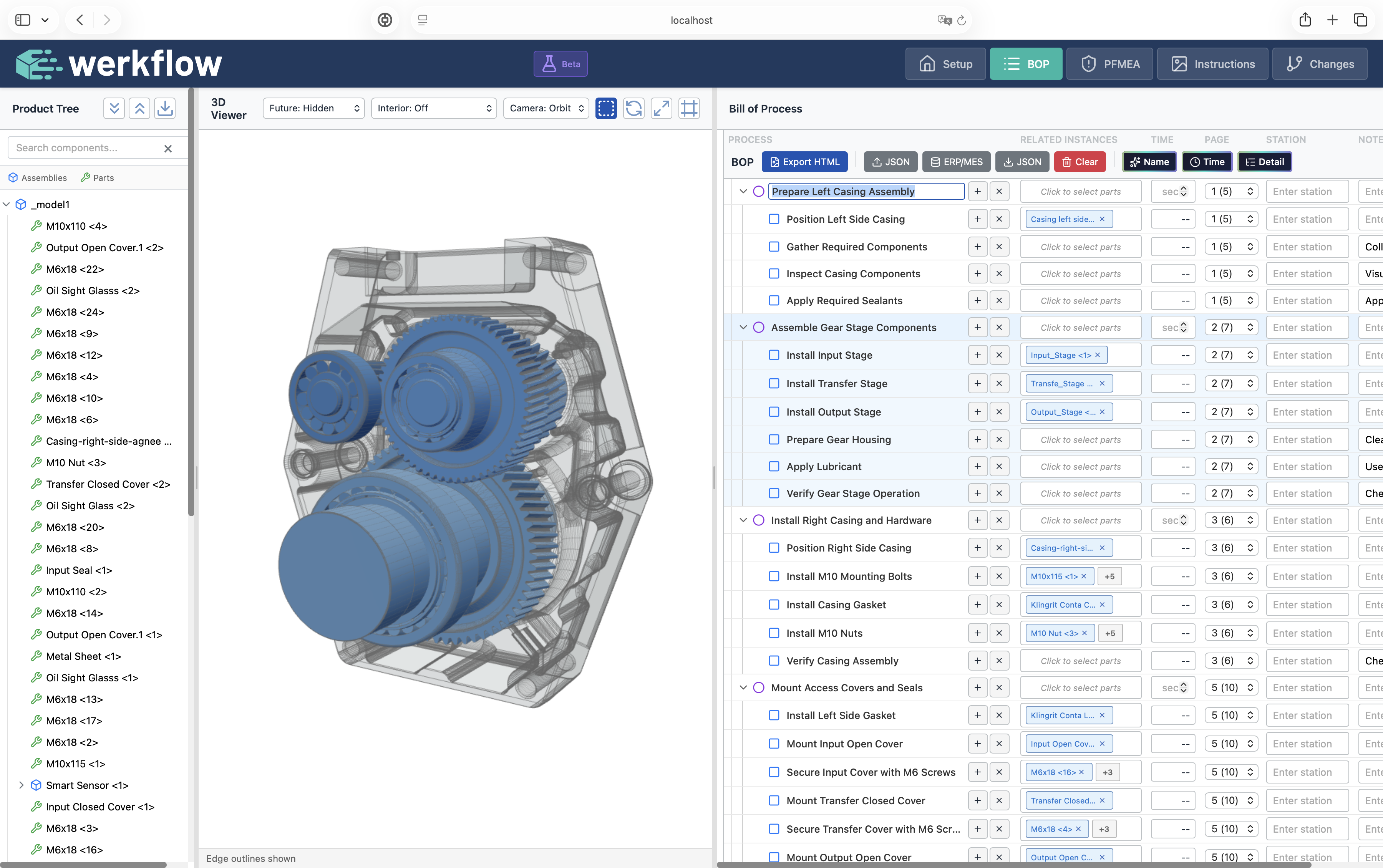
How it works
From CAD to production-ready documentation in one connected environment.
Load your CAD
Import your assembly - STEP, JT, or native formats. The 3D model becomes your planning canvas. Part metadata comes with it. Inspect the 3D model like with any other common CAD viewer, looking at data from different perspectives, hiding parts, etc.
Define workflows spatially
Create assembly processes by selecting parts in the 3D view. Drag to reorder. See the product as you define how it comes together. No more translating geometry into spreadsheet rows.
Refine the details
Add assembly times. Define tasks within each process. Assign tools, workstations, resources. Add quality checkpoints and warnings. Everything stays connected to the spatial context. Export the workflow to e.g., Excel to get feedback or directly export to ERP/MES.
Generate documentation
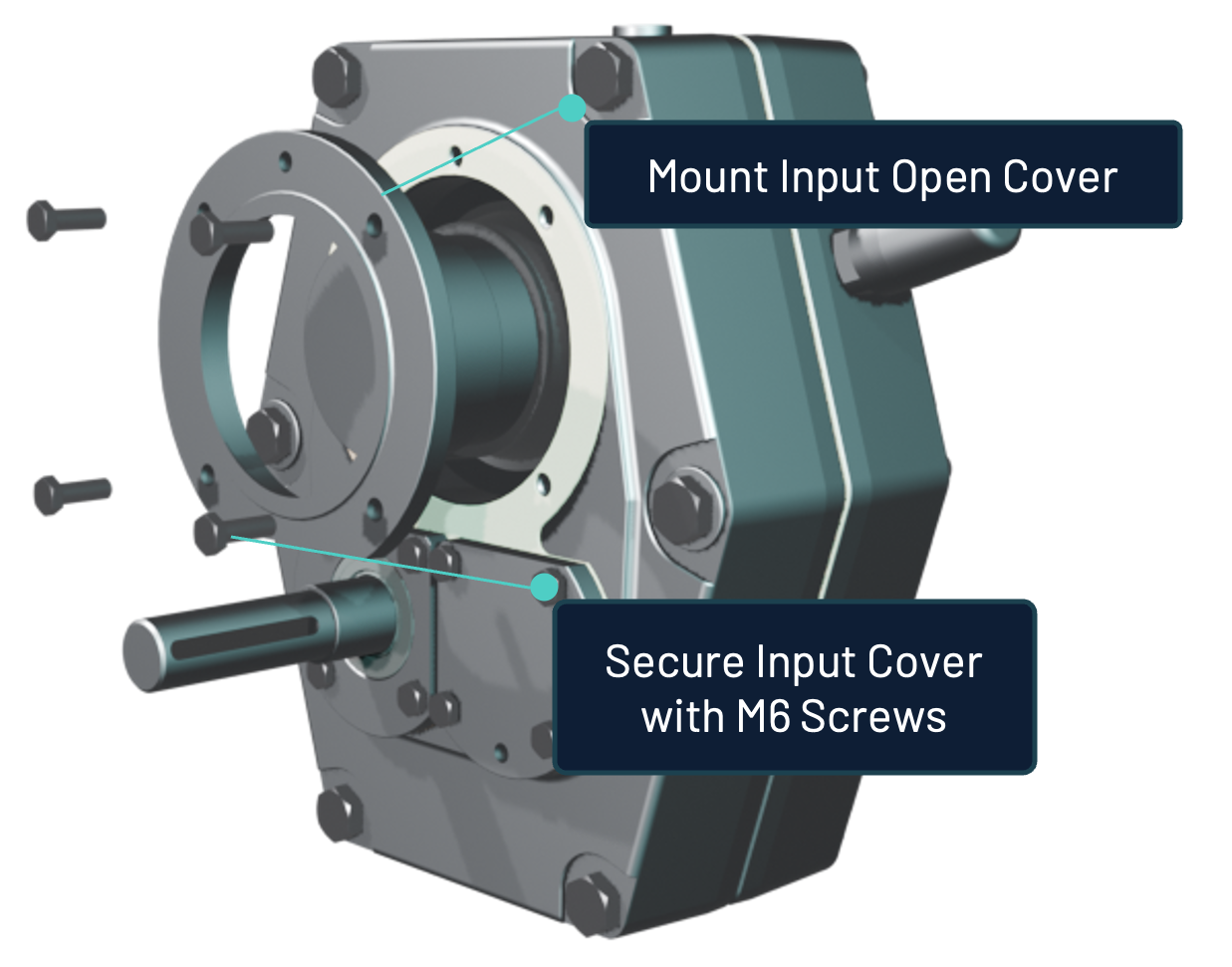
Work instructions create themselves. You finetune Camera angles, exploded views, annotations - all derived from your spatial planning. Export to PDF, connected worker platforms, or your existing formats.
Measured results from production deployments
Assembly planning teams using Werkflow report significant time savings across their core workflows.
Reduction in assembly planning time
Process definition that took hours now takes minutes.
Reduction in engineering change processing
From 12 minutes per change to under 1 minute.
Manual steps eliminated
For engineering change visualization updates.
Results from enterprise deployments. Individual results vary based on product complexity and change volume.
Value for every role
For Assembly Planners
Work in 3D. Stop translating.
Define processes spatially - the way you already think about assembly. No more copying part numbers into spreadsheet cells. No more pasting CAD screenshots into Word documents. Your planning environment finally matches your task.
For Engineering Managers
500+ hours/year back to engineering work.
Your team spends too much time on documentation maintenance. Every engineering change means manual updates across variants. Werkflow automates the translation - so your planners can focus on process optimization, not administrative work.
For Operations
Clear instructions, always current.
Shop floor workers get visual documentation that reflects the current design. When engineering changes something, instructions update. No more outdated documents, no more version confusion, no more questions about which instruction is correct.
See Werkflow with your products
The best way to understand Werkflow is to see it work with assembly data you recognize.
In a 30-minute demo, we'll load a sample from your product range and walk through the workflow - from CAD import to generated documentation. No obligation, no pressure.
What to Expect
A conversation with an engineer. We'll ask about your current workflow, show how Werkflow addresses it, and answer your technical questions.